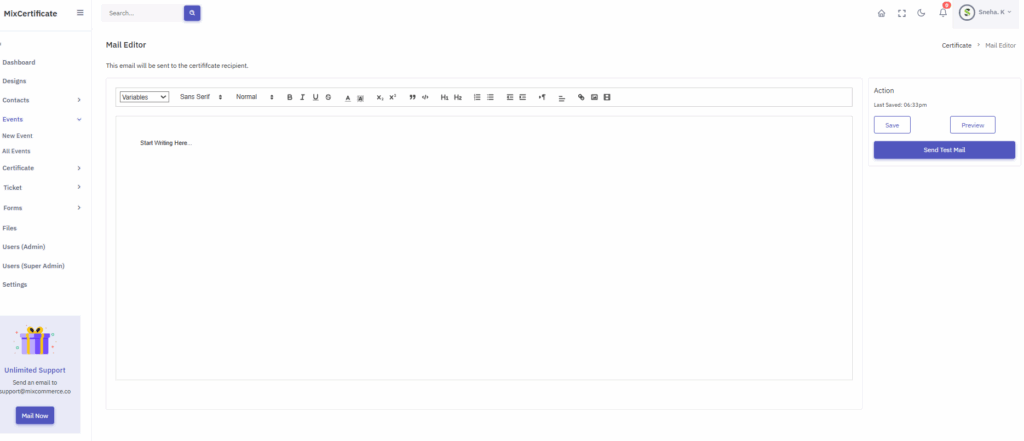
This page allows you to compose and send certificate-related emails to recipients.
Step-by-Step Instructions:
- Open the Mail Editor
- Navigate to Certificate > Mail Editor from the left-side menu.
- Compose Your Email
- Click in the editor where it says “Start Writing Here…” to begin composing your message.
- Use the toolbar to format your text (bold, italic, headings, lists, etc.).
- Insert Variables (Optional)
- Click the “Variables” dropdown to insert dynamic fields (e.g., recipient name, certificate ID).
- Preview the Email
Click the “Preview” button on the right to see how your email will look.
Save Your Draft
Click “Save” to save your work. The time of the last save appears above the button.
Send a Test Mail.
Click “Send Test Mail” to send a sample email to verify formatting and content.